Tank Trouble 2
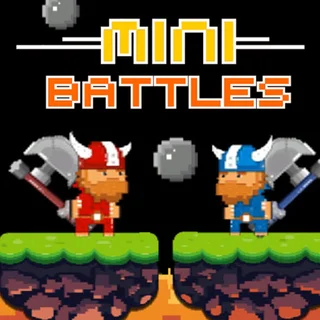
12 MiniBattles
MiniBattles
Minibattles Survivor
Blumgi Castle
Stick Rush
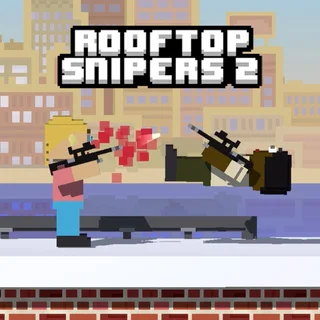
Rooftop Snipers 2
Zoom-Be
Battle Wheels
GoBattle 2
Duo Survival 2
SuperBattle 2
12 MiniBattles 2 Unblocked — Play Free Online
Two-Player Brawls12 MiniBattles 2 unblocked: play 12 MiniBattles 2 online free right here in your browser — no download, no sign-up, works on a school Chromebook.
Play 12 MiniBattles 2 free in your browser. Face off in twelve fast-paced two-player minigames using a single keyboard on Tank Trouble.
12 MiniBattles 2 brings rapid-fire local multiplayer competition straight to your browser. Created by Shared Dreams Studios, this sequel gathers twelve quirky, fast-paced duels where two players battle head-to-head on a single keyboard. Every minigame strips away complicated mechanics in favor of split-second reflexes, clever timing, and chaotic physics.
Sessions move at a breakneck speed. One moment you are trading sniper fire across rooftops, and the next you are steering bumper cars, wrestling on slippery platforms, or volleying balls across a crowded goal line. Because every round lasts only ten to thirty seconds, matches stay intensely competitive without any downtime between skirmishes.
For visitors on Tank Trouble who love the tense, single-screen rivalries of classic tank warfare, 12 MiniBattles 2 offers that same couch-multiplayer energy in bite-sized variety. Whether you are settling a quick score with a friend or challenging the built-in computer opponent, the match constantly switches disciplines to keep both players guessing.
How to play
Each minigame uses minimal controls so anyone can pick up a round immediately. Before each battle begins, an animated title card displays the active buttons for both sides:
- Player 1: Press the A key (or W/D depending on the minigame).
- Player 2: Press the L key (or Up/Down arrow keys).
- Single Player: Battle against an AI-controlled opponent when playing solo.
Most duels rely on a single button press. Tapping your key might swing a weapon, jump, shoot a bullet, or rotate your character toward the target. Timing is everything: holding or releasing your button at the exact right millisecond determines whether you land a hit or tumble off the stage.
Tips for winning minigames
- Watch the preview card: Take a second to read the icon before the countdown finishes so you know whether tapping jumps, spins, or fires.
- Master momentum: In physics and wrestling duels, waiting for your opponent to overcommit often lets you knock them off the edge with a counter-attack.
- Anticipate shot arcs: In shooting games, characters frequently rotate automatically. Press your fire key slightly before lining up directly with the target to compensate for travel time.
Similar games on Tank Trouble
If you enjoy the fast-paced two-player showdowns of 12 MiniBattles 2, check out other competitive favorites on Tank Trouble. Rooftop Snipers 2 offers similar one-button physics chaos with jumping snipers, while Tank Trouble 2 delivers precise ricochet tank combat across maze-like battlefields. For cooperative puzzle platforming on one keyboard, try Duo Survival 2.
Questions about 12 MiniBattles 2
Is 12 MiniBattles 2 unblocked at school?
12 MiniBattles 2 runs in an ordinary browser tab from tanktrouble.org, with nothing to download or install, so it plays on most school Chromebooks and work computers. If a network filter blocks the site, only that network's administrator can change it.
Can you play 12 MiniBattles 2 with one player?
Yes. You can select single-player mode to practice and compete against the computer bot across all twelve minigames.
How many players can play 12 MiniBattles 2 at once?
The game is designed for two players competing head-to-head on the same keyboard or touchscreen device.
What are the controls for 12 MiniBattles 2?
Player 1 typically uses the A key while Player 2 uses the L key. The exact single-key binding is displayed before each minigame begins.
Do you need to download 12 MiniBattles 2 to play?
No. 12 MiniBattles 2 runs directly in your modern web browser with no downloads, plugins, or account registration required.